Do It Myself Blog – Glenda Watson Hyatt

Motivational Speaker

The Next Big Thing: Authors Tagging Authors!
Filed under: I'll Do It Myself: The Book — by at 5:45 pm on Friday, November 23, 2012

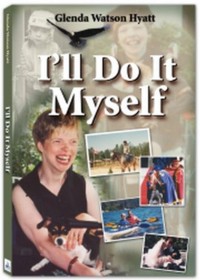
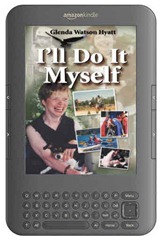
I'll Do It Myself on the KindleSometimes we, bloggers, break free from scheduled posts and have silly fun with memes – posts that spread throughout the blogosphere. Today, I am excited to participate in “The Next Big Thing: Authors Tagging Authors!"

I was kindly tagged by Wendy Naarup, author of Wake Up! Traveling from Good Enough to Great. As I wrote in my Amazon review, :Wake Up! is Wendy’s incredible story of overcoming adversity and becoming the happy, successful person she was meant to be. I cried, laughed and cheered. If you are living on auto-pilot, grab your Kleenex and be prepared to be awakened.“

I’m happy to keep this going by answering the following questions about my book I’ll Do It Myself – available for half price on the Amazon Kindle until Tuesday morning – and then tagging five more authors to do the same.

What is the working title of your book? My book title is I’ll Do It Myself, which reflects my independent nature. I’ve recently added the subtitle “Cerebral Palsy Can’t Stop Me” to the Kindle edition to give my book a slightly better chance of being found amidst the millions of books available on Amazon.

Where did the idea come from for the book? I dreamt of writing this book, my autobiography, since I was around the age of ten. Egotistical? Perhaps. I saw it more as part of my legacy, as my way of passing on the lessons I’ve learned in hopes of making someone else’s life a little easier, as my way of showing that having cerebral palsy is not a death sentence, but rather a life sentence.

What genre does your book fall under? My book is an autobiography, a memoir, for those who are looking for an inspiring read.

Which actors would you choose to play your characters in a movie rendition? Definitely Julia Roberts! Her bubbly energy and love for fun is perfect.

Now, I am pleased to tag the following five authors who I am privileged to call friends:

Happy reading!

If you enjoyed this post, consider buying me a chai tea latte. Thanks kindly.

Related Posts

Year 5: Giving is a Blog Tradition, Thanks to You

Filed under: General — by at 11:39 am on Wednesday, November 21, 2012

In a society where a cell phone is obsolete in six months (if you are lucky), anything that survives into the fifth year is definitely worthy of being declared a tradition!

Thanks to you – my family, friends and loyal readers- this blog now officially has a tradition of giving to individuals in desperate need. Since 2008, when that little voice inside of my head distinctly said, “Feed 100 people!” we have fed 330 people a warm Christmas dinner through the Union Gospel Mission (UGM). Your generosity is overwhelming and heart-warming. Thank you.

Why the UGM? On Darrell’s and mine wedding day, Mom and my brother Kevin packaged up the leftover food and delivered it to the Union Gospel Mission. Since then, the UGM has held a special place in my heart.

Can we do it again this year?

The UGM is once again offering a hot meal for $3.29 during their Christmas campaign. Together, let’s feed Christmas dinner to 100 individuals in need of hope and show them they are still valued members of our community.

Would you join me, please? Click the orange ChipIn button below to give whatever feels right for you at this time. This ChipIn widget expires on Sunday, December 9th. I will forward the total amount to the UGM the following day.

Thank you and best wishes to you!

If you enjoyed this post, consider buying me a chai tea latte. Thanks kindly.

Related Posts

Communication Equality in Social Interactions: What Does that Really Look Like?

Filed under: Living with a disability — by at 11:22 pm on Saturday, November 17, 2012

Reflecting on yesterday’s post Communication Devices: An Communication Equivalent, But An Equal?, I realized how it doesn’t portray my complete SOBCon experience.

Despite a moment or two of conversation ineptness, the last SOBCon was actually the best one for me, personally; largely because of my communication equivalent: my iPad.

Because of my iPad and because of some confidence accumulated over previous experiences, I participated in the Mastermind sessions – in both contributing and receiving – like never before.

Because of my communication equivalent, I was able to carry on several conversations during the informal times of the weekend.

Because of my chosen communication device, I was able to share my one main takeaway with the entire group – something that was not quite as possible merely two and a half years ago. Before my iPad, I likely would have passed on that opportunity and the pass would likely have been accepted by the group. This time around, my participation was expected and my method of contribution was accepted because I was surrounded by people who would not let me fail. The significance of that milestone was not lost as I held back a high-water moment.

Perhaps it isn’t a matter of whether or not communication equality exists, but rather what does equality look like in a particular social interaction, in a particular moment.

If equality existed, perhaps we would not experience the diverse richness in social interactions.

What are your thoughts? Share in the comment section below.


To keep up with my adventures, musings and insights, be sure to subscribe to DoItMyselfBlog.com.

If you enjoyed this post, consider buying me a chai tea latte. Thanks kindly.

Related Posts

Communication Devices: An Communication Equivalent, But An Equal?

Filed under: Living with a disability — by at 6:33 pm on Friday, November 16, 2012

Digital Outcasdts book coverEarlier this week I had the privilege of previewing one chapter from Kel Smith’s upcoming book Digital Outcasts: Moving Technology Forward Without Leaving People Behind, which addresses key trends in technology and their relevance to forgotten populations.

The entire chapter is refreshingly insightful, but one sentence in particular jumped out at me:

Achieving equivalency with technology is not necessarily the same as achieving equality, when interacting with others in social situations.

Thank you, Kel! You obviously get it.

Many people don’t. They seem to think: here’s the device, you can communicate and everything is all fixed now.

It’s not that simple; using a communication device during face-to-face communication, especially in a group situation, adds another layer of complexity. When an individual needs to tap out a response on a device while the conversation continues around her means the time-delayed response appears disjointed, even inappropriate, in the flow of the conversation. Her contribution might not have the same impact, value or meaning as it would have had she been able to interject verbally.

One-on-one can be a little more equal because, with the back and forth nature of the conversation, it is easier for one person to wait for response than for a group to pause the conversation while a response is prepared.

But, there are times when even one-on-one interactions are difficult. Take this one example: while attending SOBCon in Portland a couple of months ago, one fellow kindly came over to introduce himself. We knew each other from online and I had seen him at other events, but we hadn’t yet introduced ourselves, until now. As he stood there in front of me, my iPad at the ready, I knew I should say something intelligent, to ask him something, to hold up my side of the conversation. I mentally ran through a list of possible questions I could ask him: No, he is probably tired of talking about that. No, that is lame. No, that probably isn’t any of my business. Nope, I’ve got nothing. After a few awkward moments, he made his leave. I felt like a total dolt.

My iPad was on and ready, like it had been all morning. I had the ability to communicate. I had enough communication skills to know I had to take a role, a responsibility, in keeping the  conversation going. I even had a few possible questions in mind. But I lacked the confidence to ask one of them. I lacked the confidence because, really, I haven’t had that much experience carrying on a two-way conversation with someone not well-versed in Glenda-ish. I have had my iPad for only 2.5 years now; having the ability to converse with those beyond who understand my unique dialect is still new to me and I am still learning. And, that is hard to admit at the age of 46; an age when carrying on an intelligent conversation shouldn’t require so much conscious effort.

The iPad affords me a communication equivalent, but, because of the nuances of verbal communication (and the temporary lack of experience), I don’t feel my tapped responses are as equal as verbal ones – in some situations.

I look forward to reading Kel’s entire book. Digital Outcasts can be pre-ordered from the Elsevier Store.

If you enjoyed this post, consider buying me a chai tea latte. Thanks kindly.

Related Posts

Amazon Listmania: Fun for Authors and Readers Alike

Filed under: I'll Do It Myself: The Book — by at 9:25 pm on Friday, November 2, 2012

I'll Do It Myself on the KindleIn an earlier post, I shared how authors can create lists on Amazon to increase their book’s exposure and, in theory, to increase their Amazon Best Sellers Ranking.

This list-creating fun isn’t limited to only Amazon authors. Amazon readers (i.e., anyone with an Amazon account) can also partake in the fun.

Perhaps you have a list of favourite inspirational books. Or the ten books you’d want if ever stranded on a desert island. Or the most useful entrepreneurial books. Or the books every teacher/doctor/professional should read about <insert disability or issue>. Or whatever. I’m sure you get the idea. And…you don’t need to have purchased the book from Amazon; it only needs to be available on Amazon.

Go wild and see how many lists you can create! (Aim for 10 books or more per list.)

Here are the instructions directly from Amazon on how to create a Listmania list:

  1. Visit your Profile page and log into your account if requested.
  2. Click the "Edit Your Profile" button on the top right-hand corner of the page.
  3. Click the "Lists" tab in the Contributions section of Your Profile.
  4. Click the "Create your first one now" link or "Manage your Listmania Lists" link if you already have existing lists.
  5. Provide the requested information for your list and click the Preview button to review your list and Publish list when you are finished.

You will be asked to enter the following information:

  • Name Your List: Enter a friendly title for your list.
  • Your qualifications: Your qualifications should be a description of why you’re an expert in the subject of your list.
  • Introduction: You can add an optional introductory paragraph to describe the list.
  • Add a product: This is the core of your list! You can add anything from the product listings on Amazon.

For fun, I recently created the list “My Friends Who Are Authors”:

(By no means is this a comprehensive list of all of the books written by my friends. Please take no offence if I have missed your book. Please let me know, in the comments below, your title on Amazon and I’ll be sure to add it to the list.)

What lists can you come up with? (Tip: If you have a book on Amazon, be sure to include it on your list, near the bottom. This creates an internal link to your book page, which Amazon likes.)

Have fun with it and feel free to share the link to your list(s) in a comment below.


To keep up with my adventures, musings and insights, be sure to subscribe to DoItMyselfBlog.com.

If you enjoyed this post, consider buying me a chai tea latte. Thanks kindly.

Related Posts

« Previous PageNext Page »